
In this section, the steps to create a new social campaign will be discussed in detail.
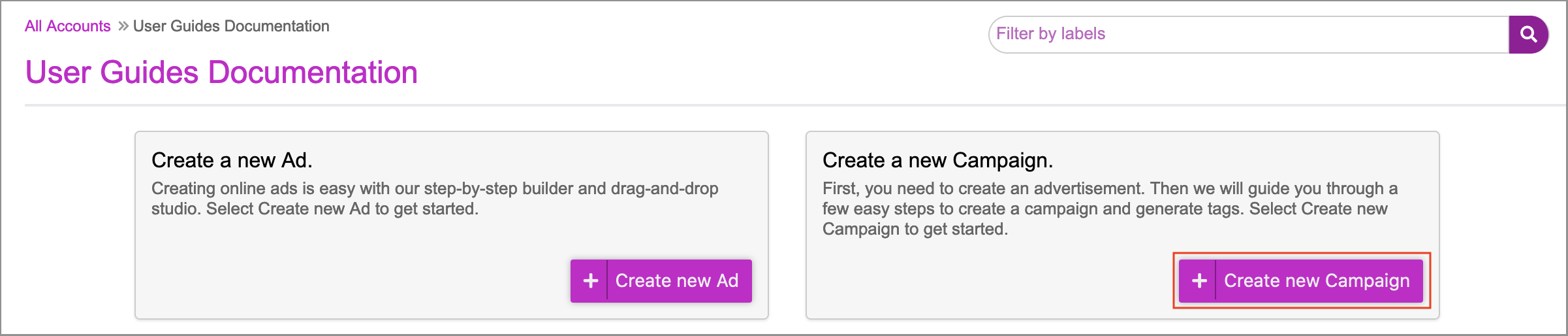
1- On the dashboard, click on Create new Campaign.
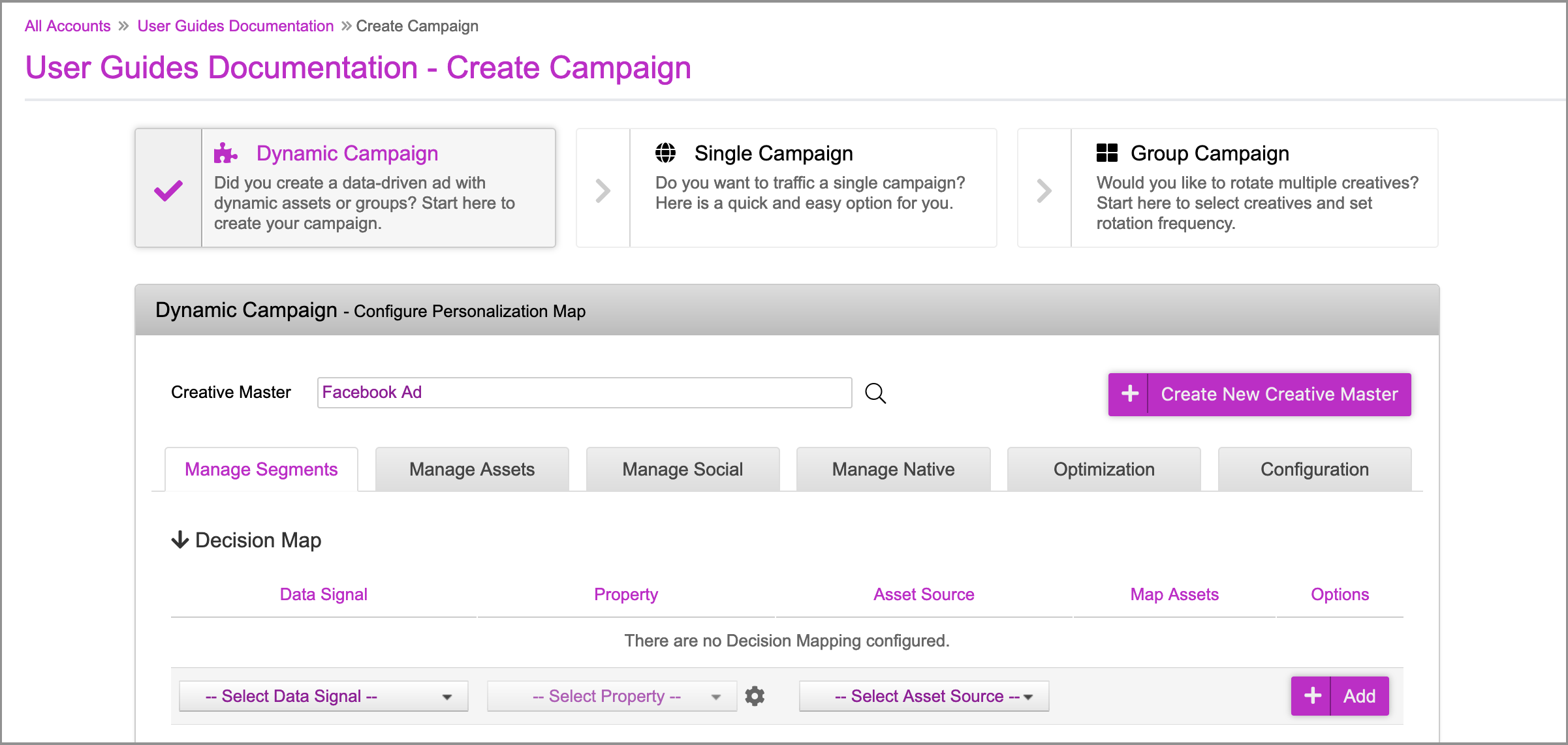
2- In the campaign section, you must first save the campaign before you can create the Facebook Campaign. Scroll down to the bottom of the page.
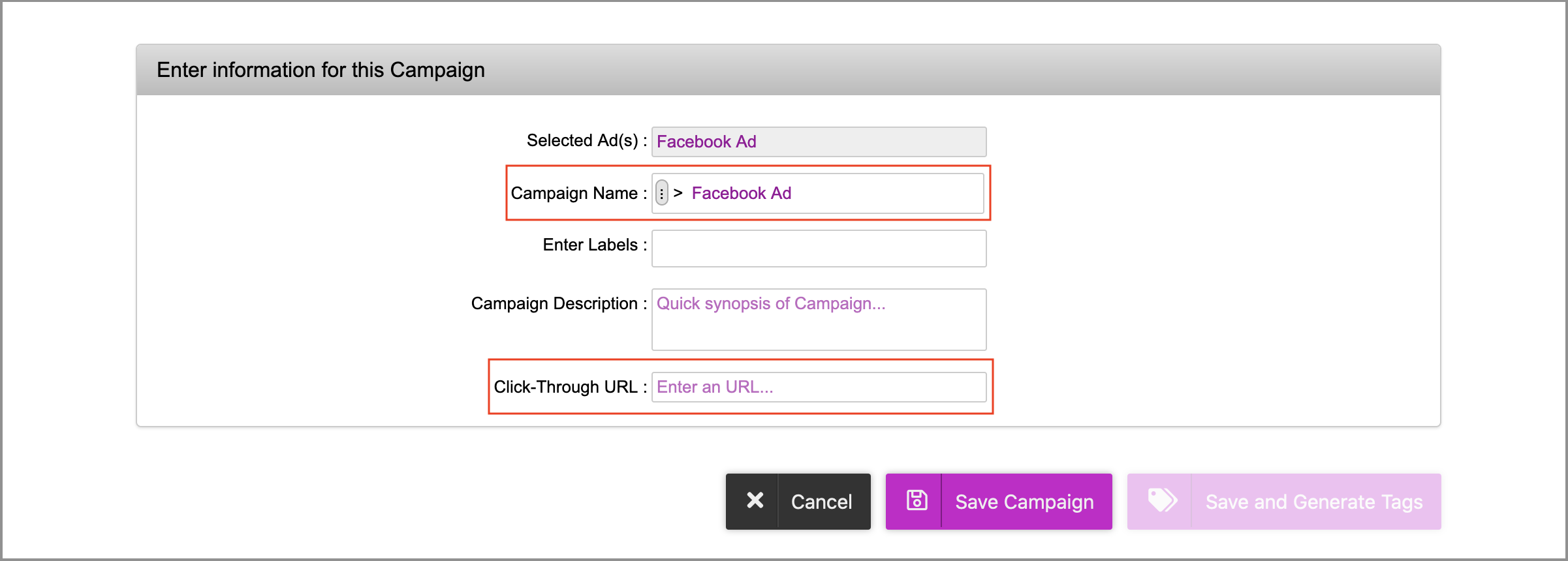
3- Once at the bottom of the page, enter the desired Campaign Name and Click-Through URL. Please note that both of these fields are placeholders and will not impact the Facebook campaign setup.
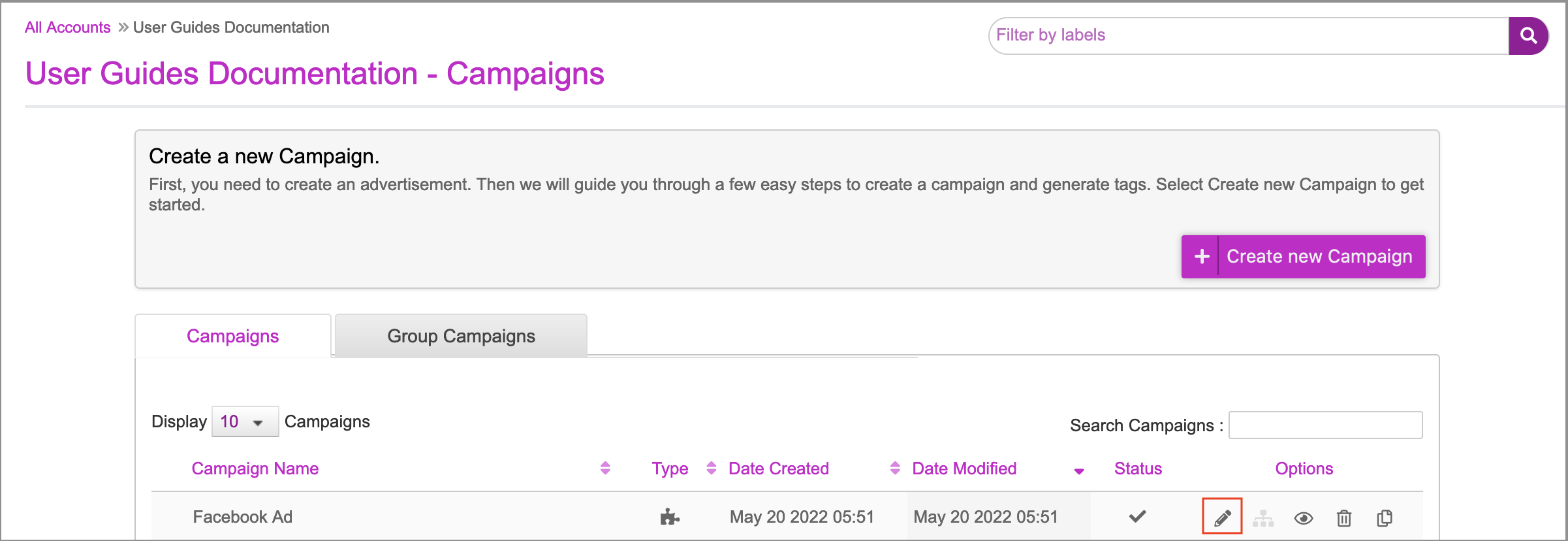
4- Click on Save Campaign. Once the campaign is saved, you'll be redirected to the campaigns page. Click the Edit campaign (pencil) icon to go back into the campaign.
5- Click on the Manage Social tab. This is where all of the Facebook setup will occur.
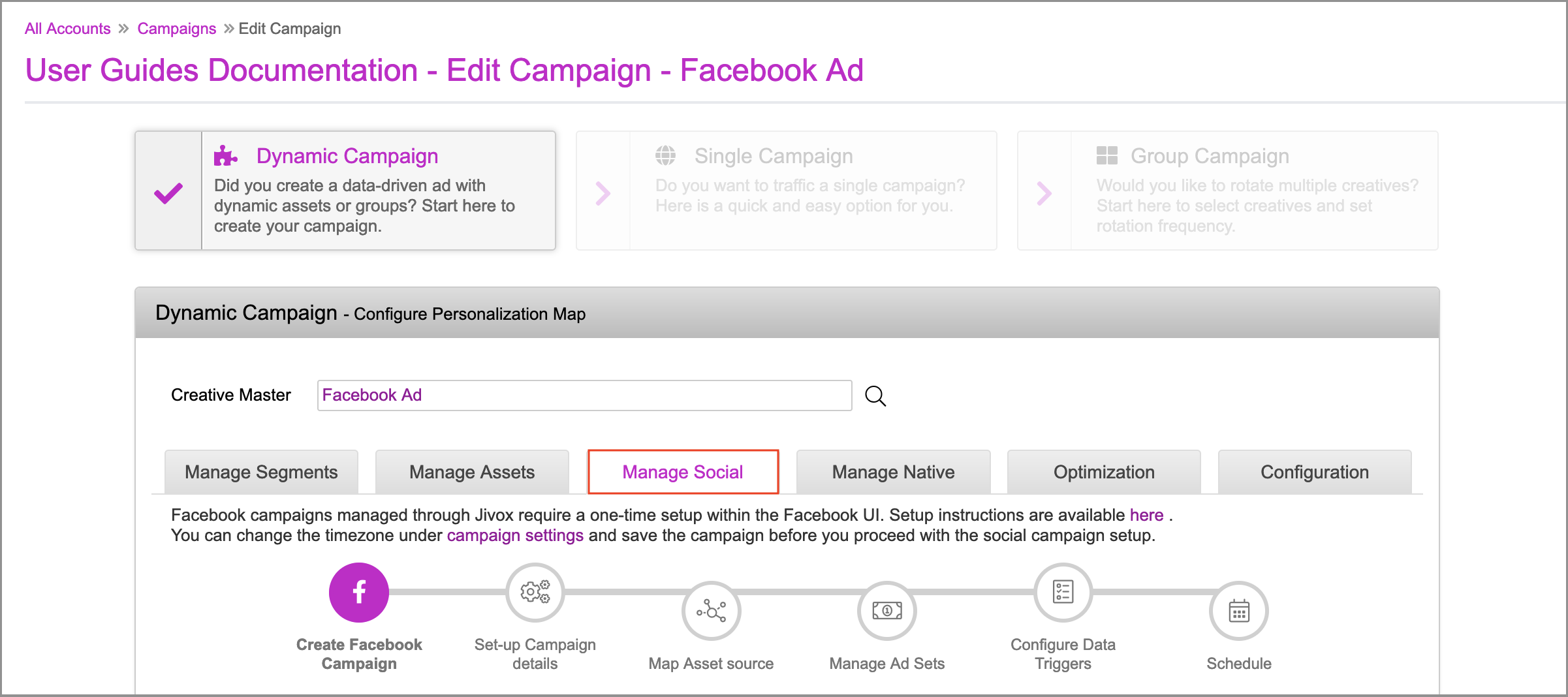
The Create Facebook Campaign section is displayed. Learn more in the next section.