About Jivox IQ
HOW TO CREATE DCO READY CREATIVE MASTERS
Getting Started
USING DYNAMIC CANVAS STUDIO
SETTING UP CAMPAIGNS
CAMPAIGN PREVIEWS AND APPROVAL
Generating Tags
Generating Data Pixels
Setting Up a Facebook Campaign
SETTING UP A YOUTUBE CAMPAIGN
Reporting
ADVANCED
USING JIVOX AD STUDIO
SETTING UP A NATIVE CAMPAIGN
Working With QuickStart Packages
SHOPPABLE INTEGRATION
APPENDIX
GLOSSARY
Title
Message
Create new category
What is the title of your new category?
Edit page index title
What is the title of the page index?
Edit category
What is the new title of your category?
Edit link
What is the new title and URL of your link?
Editing an Ad
Copy Markdown
Open in ChatGPT
Open in Claude
So far we have:
- Uploaded a Creative Master
- Created the Asset Source and saved the Ad.
- Added Multiple Creative Masters (Optional)
- Created Multiple Ad Units (Optional)
Once an Ad is saved, you can make changes to the Ad using the edit option. Let's start!
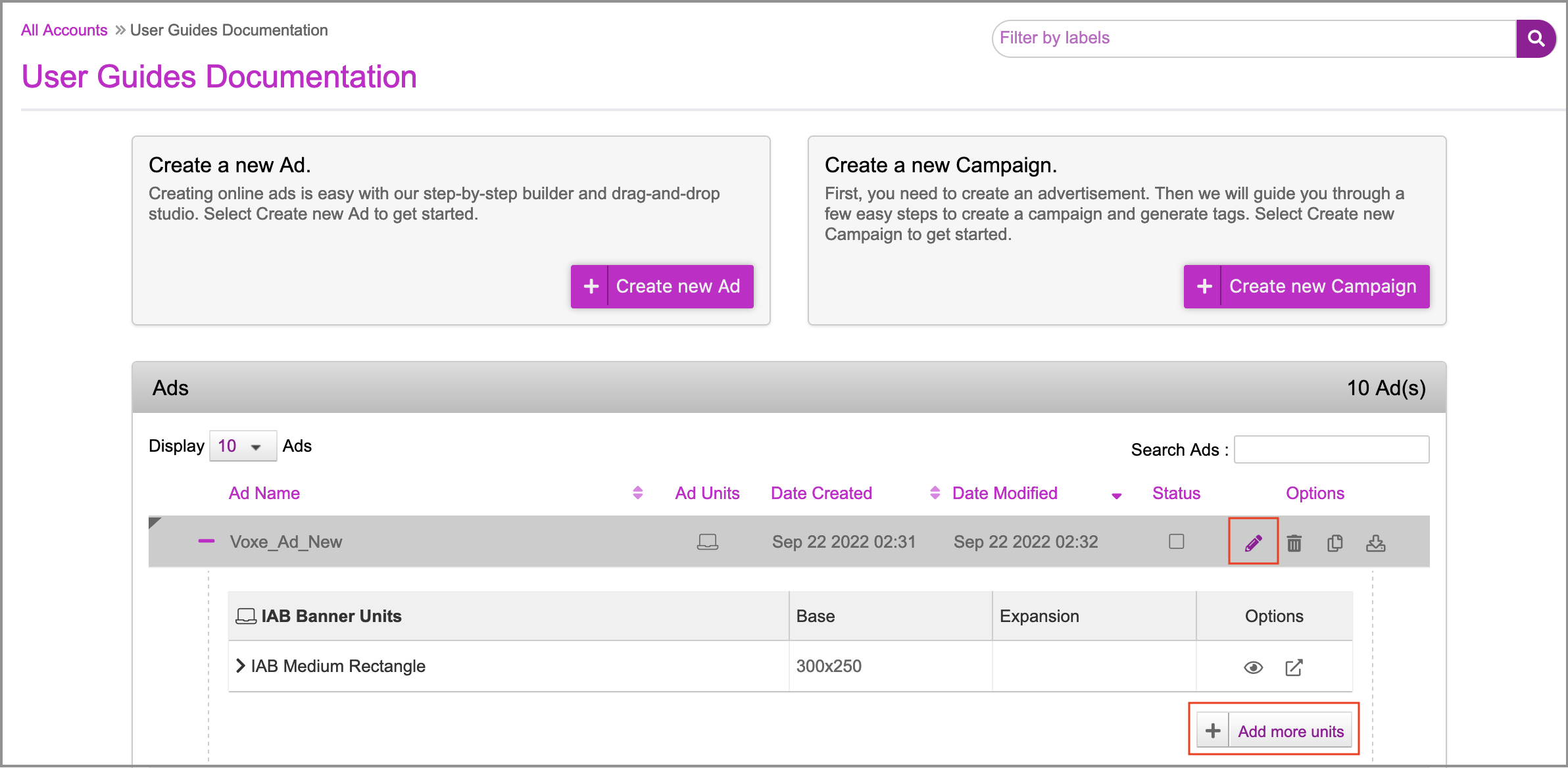
1- On the Ads and Campaigns dashboard, select your Ad and click one of the following:
- the Edit (pencil) icon
- the Add more units button

This will take you to the Edit Ad page. As you can see, the 300x250 ad unit that you added while Saving the Ad is displayed here.
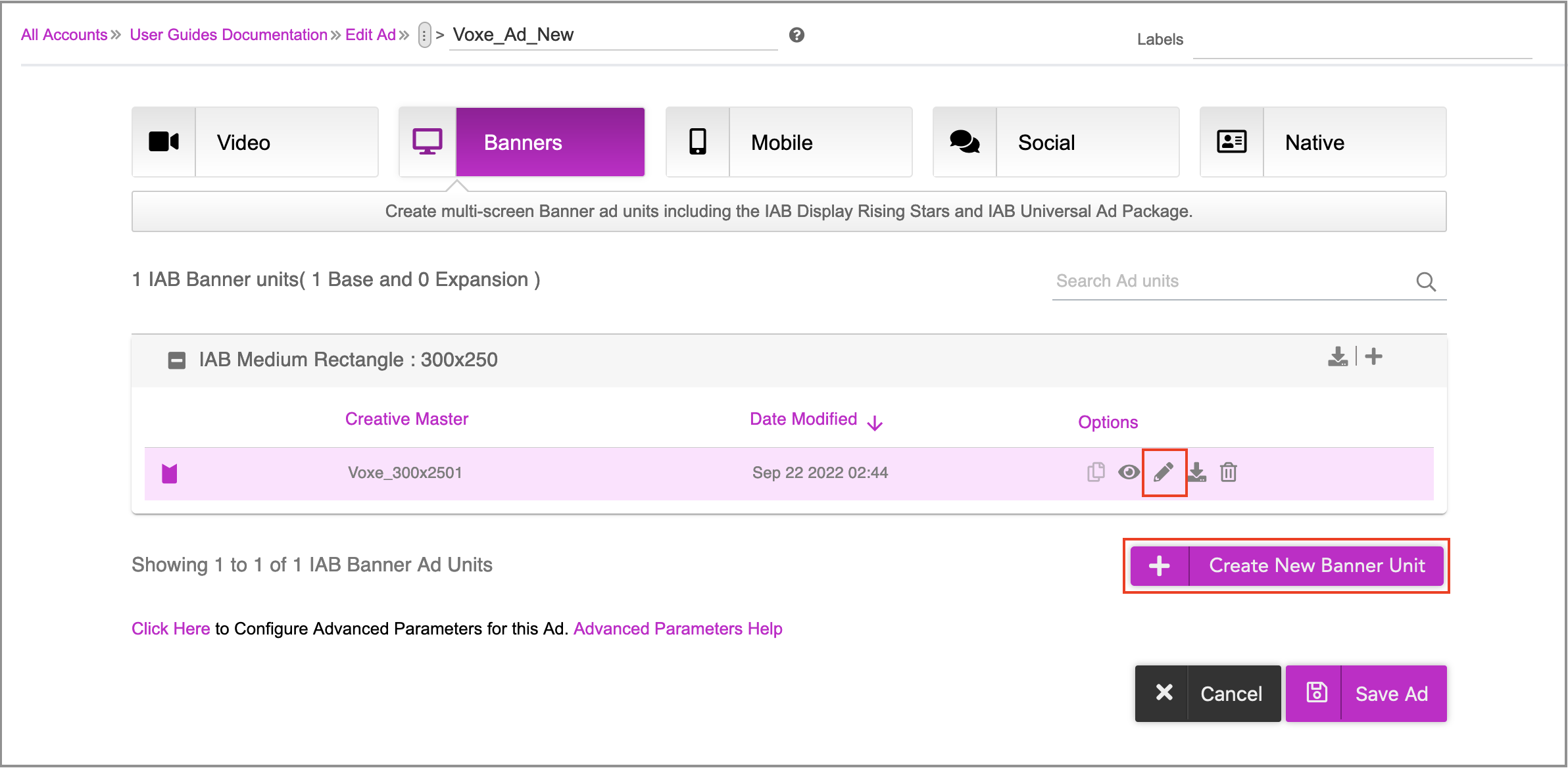
You can perform any of the following tasks on this page.
- Make changes to each creative master within an ad unit by clicking the Edit(pencil) icon. This will take you inside the ad where you can make changes to the Asset Source and generate creative variations as required by either - Using the DCS UI or Uploading an Asset Source.
- Add more creative masters within the Ad.
- Create more Ad Units of Different Sizes by clicking the Create New Banner Unit button.
Type to search, ESC to discard
Last updated on
Next to read:
Generating Creative Variations Using DCS UIDiscard Changes
Do you want to discard your current changes and overwrite with the template?
Archive Synced Block
Message
Create new Template
What is this template's title?
Delete Template
Message