
So far we have:
Uploaded a Creative Master
Created the Asset Source and saved the Ad.
Added Multiple Creative Masters (Optional)
Created Multiple Ad Units (Optional)
Once an Ad is saved, you can make changes to the Ad using the edit option. Let's start!
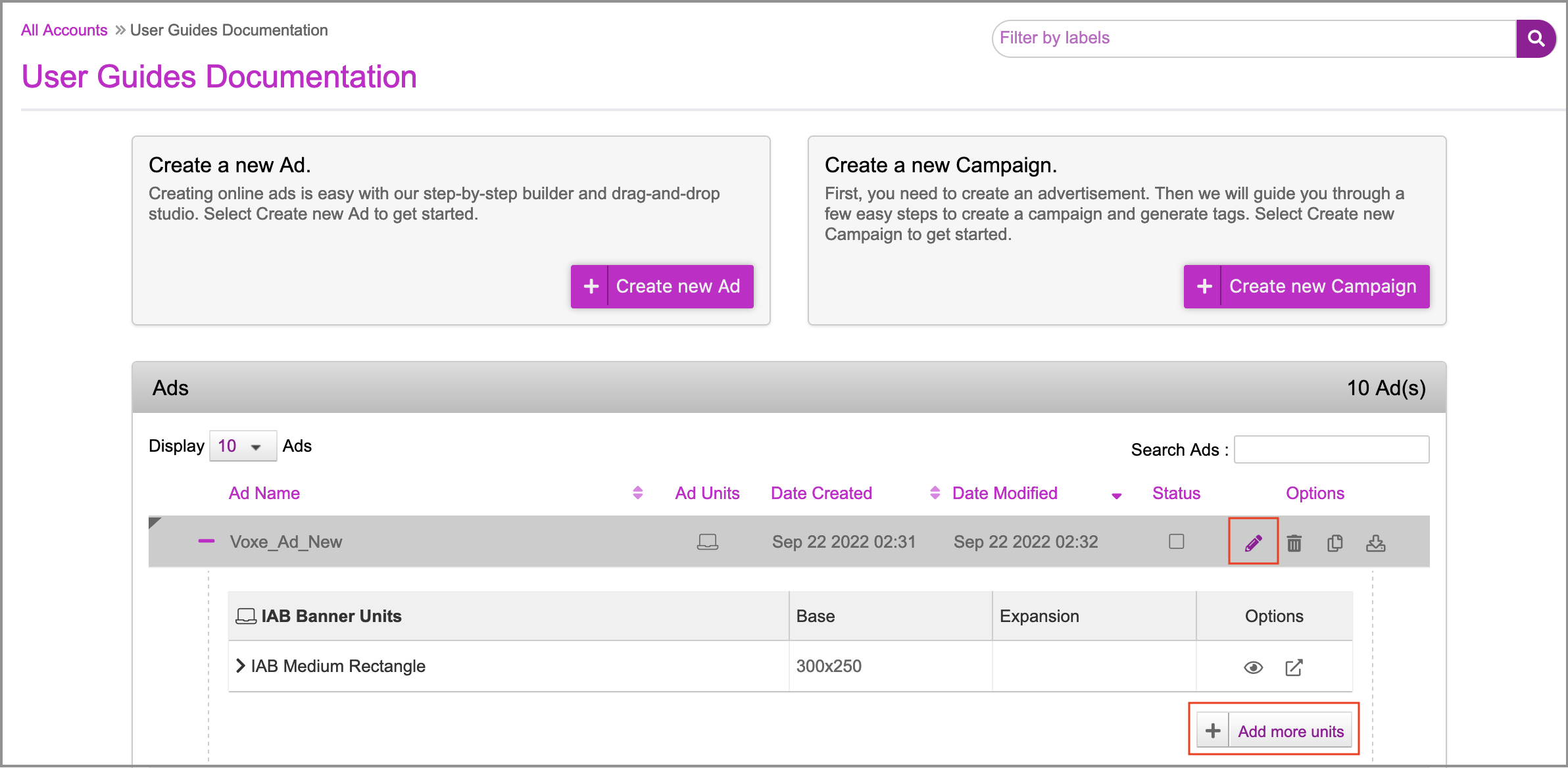
1- On the Ads and Campaigns dashboard, select your Ad and click one of the following:
the Edit (pencil) icon
the Add more units button
This will take you to the Edit Ad page. As you can see, the 300x250 ad unit that you added while Saving the Ad is displayed here.
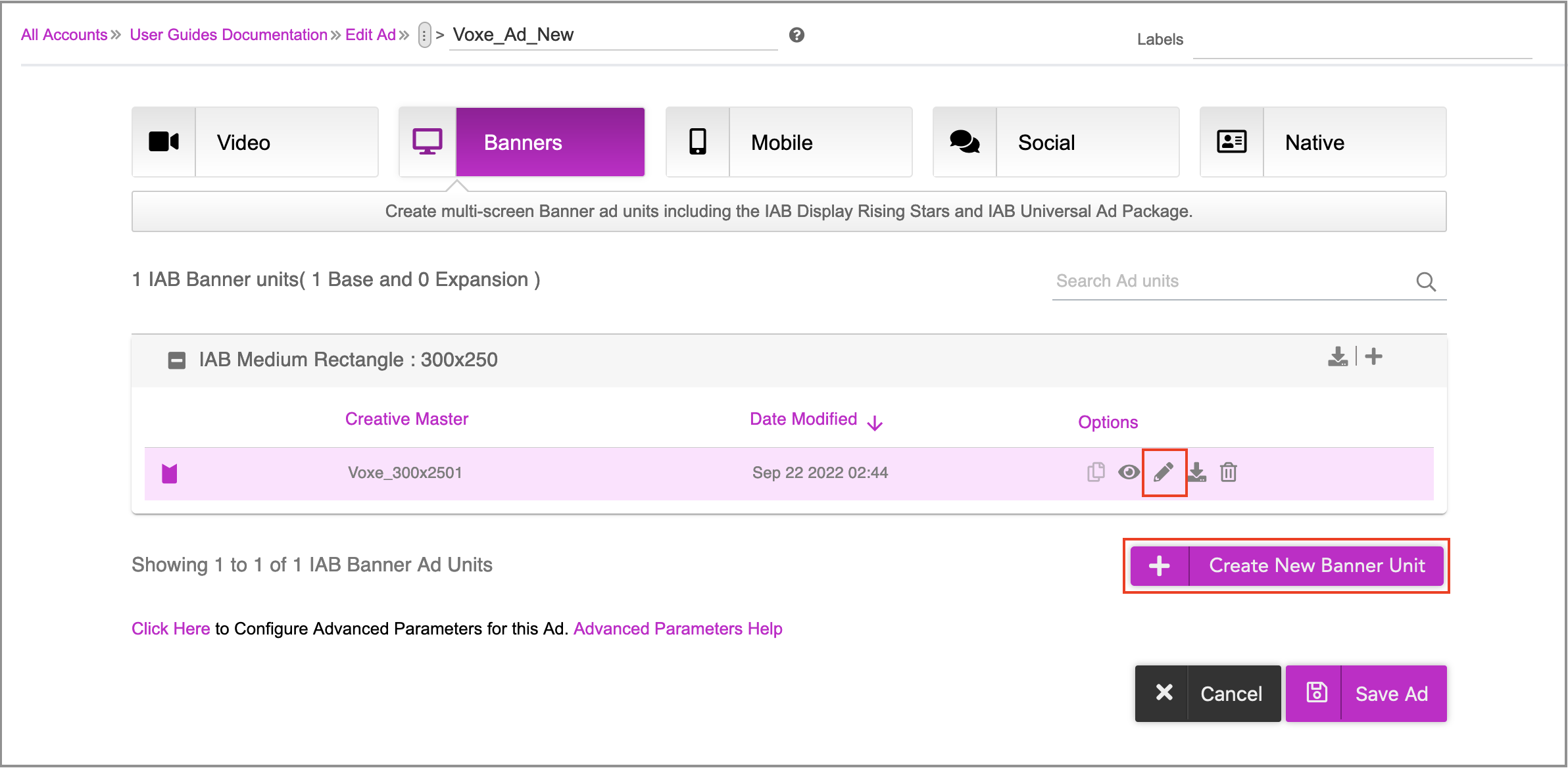
You can perform any of the following tasks on this page.
Make changes to each creative master within an ad unit by clicking the Edit(pencil) icon. This will take you inside the ad where you can make changes to the Asset Source and generate creative variations as required by either - Using the DCS UI or Uploading an Asset Source.
Add more creative masters within the Ad.
Create more Ad Units of Different Sizes by clicking the Create New Banner Unit button.